
Affiliate Disclosure: This post contains affiliate links. As an Amazon Associate, I earn from qualifying purchases, which means I may receive a small commission if you buy through my links, at no extra cost to you. I only write about pieces I would happily put in my own rooms, and every opinion here is my own.
Ask any designer what the most overlooked object in a room is, and I suspect a few of us will quietly say the clock. It is rarely chosen with care. It gets hung once, somewhere convenient, and then becomes the thing everyone in the house glances at and nobody can actually read. In my own home those glances happen around 6:40 every morning, when two sleepy kids, a half-packed lunch, and a mother without her glasses all need to know exactly how late we are.
That is how a digital wall clock ended up in our house this fall. I had been eyeing the Zelaclock large-display LED clock for a few weeks, mostly out of curiosity about whether a gadget-looking thing could live comfortably in a home I have worked hard to keep soft and warm. I have now spent enough ordinary days with it to tell you where it belongs, and where it does not.
⏰ Upgrade Your Morning Routine
Why I Started Looking for a Clock I Could Read From Across the Room
The trouble with the pretty little clocks
I have a real soft spot for vintage clocks, the kind with thin brass hands and a faded cream face. They photograph beautifully. In daily life, though, I kept catching myself walking across the kitchen just to find out whether it was ten past or twenty past. A clock that makes you move closer to read it has stopped doing its one job, and I had been tolerating that for years because it looked nice.
What I wrote on my wish list
Before I clicked anything, I jotted down what I actually needed, because I know how easily a shiny object can talk me out of my own list:
Numbers I can read from the doorway without my glasses
A glow that will not turn a dark bedroom into a runway at night
The date and the temperature without checking a phone
Something I can adjust from my chair rather than a step stool
The listing promised all four. That is a big claim for a plastic rectangle, so I plugged it in with modest expectations.
First Impressions Out of the Box
Getting it plugged in
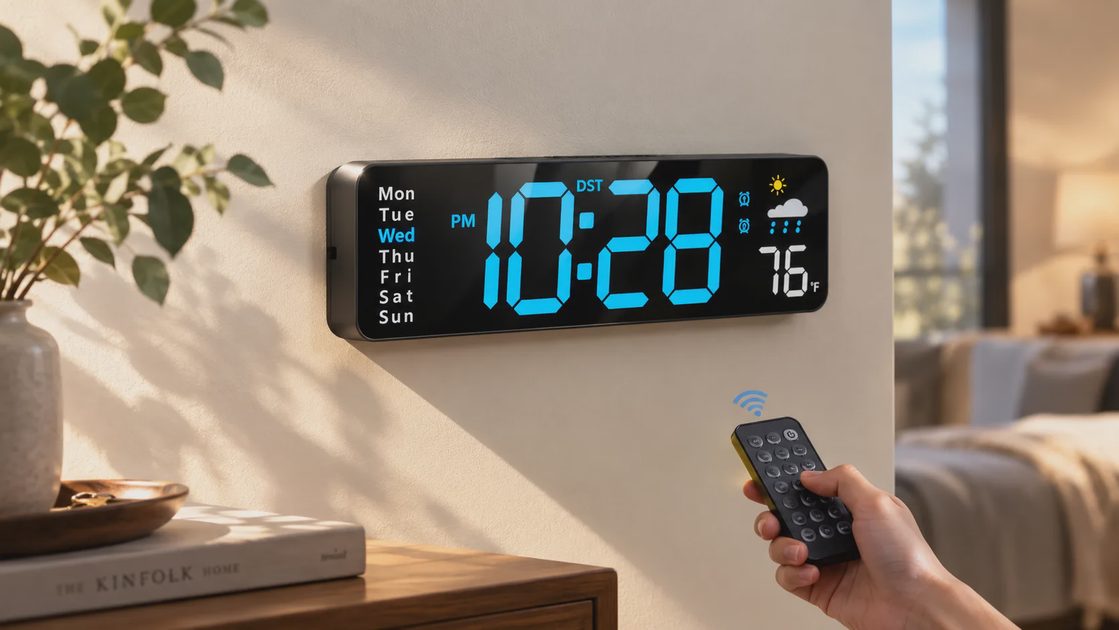
Setup was refreshingly un-fussy. The clock comes with a power adapter and a USB cord, and all it asks for is an outlet. My first thought, honestly, was well, that is a lot of numbers. The digits are big and bold, and the blue I chose is cool and a little electric rather than harsh. Within a few minutes it showed the right time, and I had done most of the adjusting from the sofa, which is where the remote earns its keep later on.
Wall or tabletop
The clock can hang on a wall or sit on a flat surface. I tried it on a floating shelf in the kitchen first, then moved it to the hallway wall. It is a low, long shape, so it reads more like a slim bar of light than a traditional round clock. In a room full of linen and warm wood I expected it to look out of place. What saved it was giving it a plain painted wall and some breathing room on either side. Crowd it with frames and it fights for attention; leave it alone and it behaves.
What Living With It Is Actually Like
The display itself
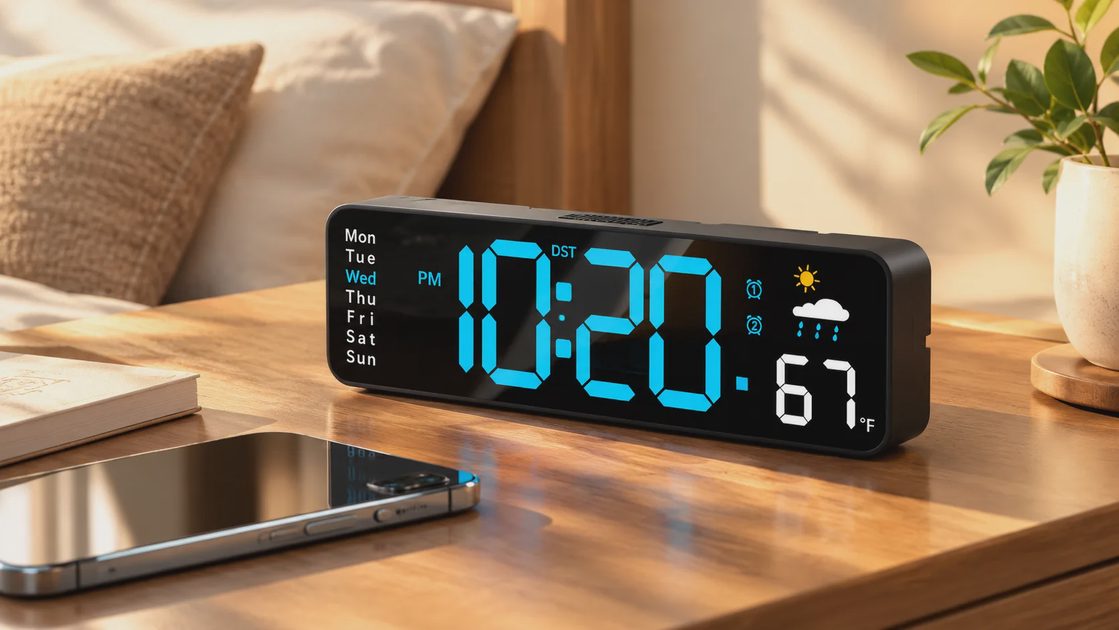
This is the part that justified the whole purchase. The numbers are full-screen and bright, and I can read them from the far end of the kitchen while stirring something on the stove. The weekday labels run down the left side with the current day lit up, which has quietly helped me, a woman who lost track of Tuesdays the day her first child was born.
Time and date, taking turns
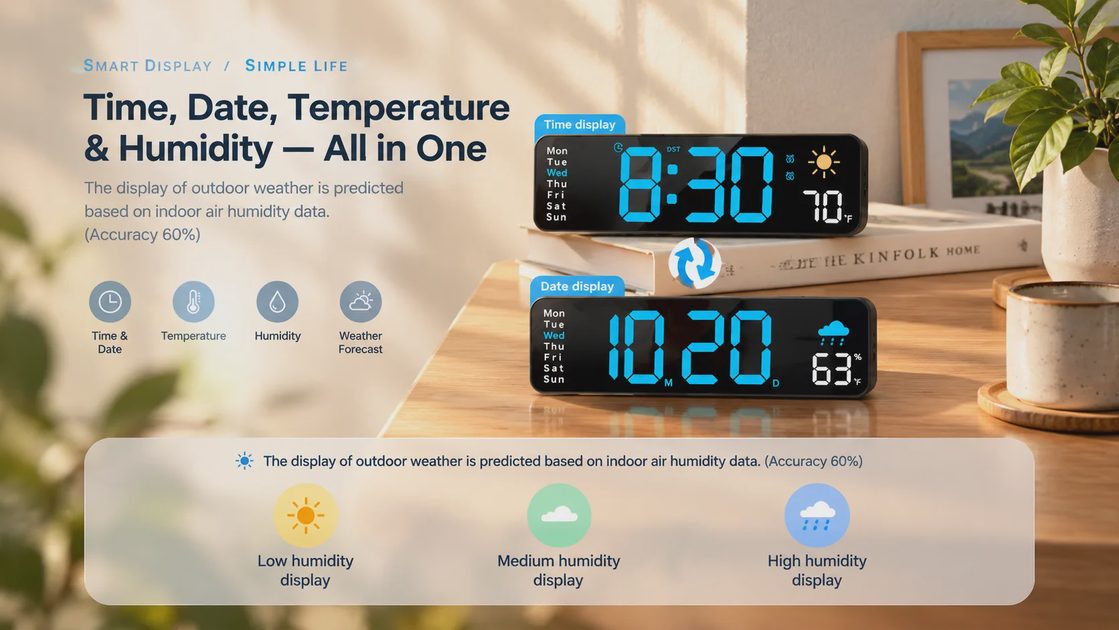
You can set the screen to alternate between the time and the calendar date, so one display does double duty. I leave mine on that rotation. It flips every so often, and after a day or two I stopped noticing the switch. If you prefer a steady time display, you can simply set it that way. I like having the choice, because the whole point is that I should not have to think about it.
Temperature and humidity
A temperature reading sits right beside the time, and a humidity figure appears as well. In a Charleston-area house where August humidity is practically a houseguest, I found the humidity number more interesting than I expected. It told me why the playroom felt sticky before I could say why. I treat it as a handy indoor guide, nothing more scientific than that.
Dimming that respects a dark bedroom
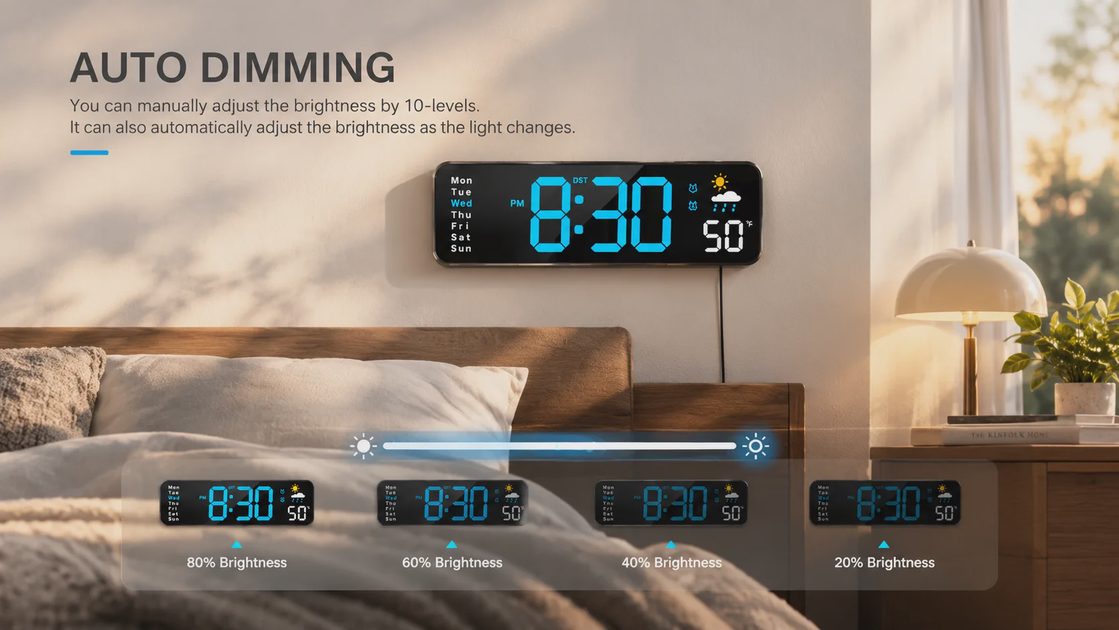
I have a rule about bedrooms: no glowing screens competing with sleep. The clock has ten brightness levels you can adjust by hand, plus an auto-dimming mode that lowers the glow at night. I tested it in my guest room first, since a bright clock can be a real nuisance when someone is trying to fall asleep. With auto-dim on, the light settled down into something gentle enough that I stopped noticing it after the first evening.
The remote and daylight saving
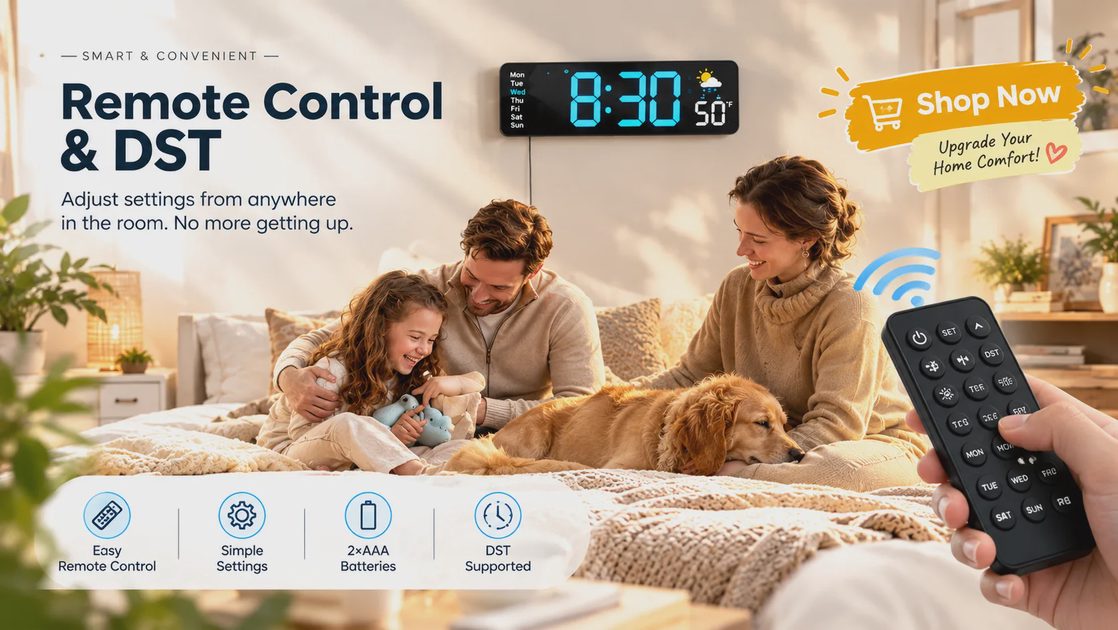
Every setting, from brightness to display mode, can be changed with the little remote, so the clock never has to come off the wall. The part I appreciate most as a homeowner is the daylight saving adjustment. Anyone who has stood on a chair twice a year to nudge a clock forward or back will understand. A couple of button presses in March and November, and that is the end of that chore.
A timer for homework and workouts
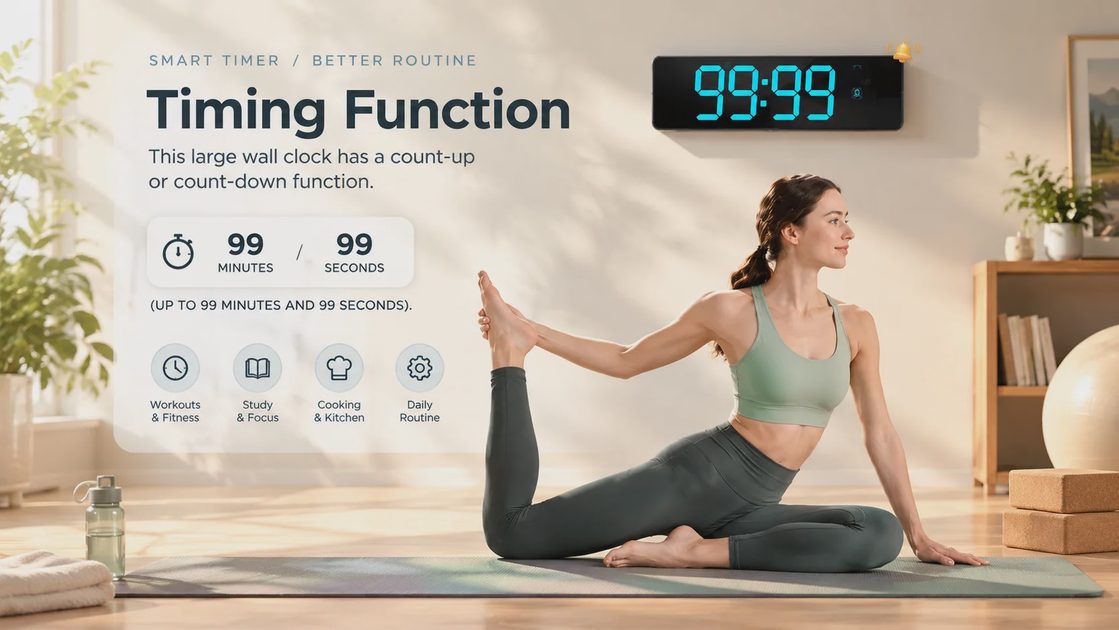
There is also a count-up and count-down function, up to 99 minutes and 99 seconds. I did not expect to use it, and now my daughter uses it for homework sprints at the kitchen counter, where the countdown is large enough that she can see exactly how long is left. It would suit a classroom, a workout corner, or anyone timing a bake just as well.
It remembers where it was
If the power goes out, the clock keeps its settings rather than blinking 12:00 at you like it has forgotten who you are. That depends on a small backup battery, which I will come back to below.
Where It Has Earned a Spot in Our House
Rooms where it works best
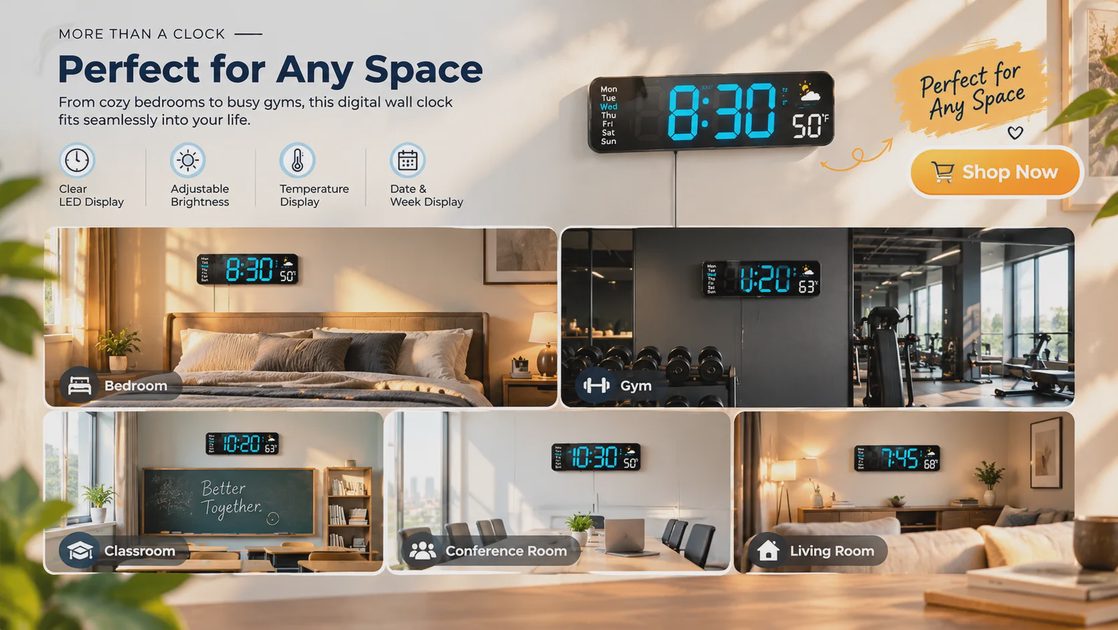
After a few weeks of moving it around, here is where I would hang it again:
The kitchen or breakfast nook: the school-morning rush is exactly what this clock is built for.
A home office or study corner: glanceable time without opening a laptop.
A kids' playroom or classroom space: big numbers and the weekday display help little ones learn the rhythm of the week.
A garage or workout corner: somewhere you check the time mid-task with messy hands.
Where I would think twice
In a very formal living room with a collected, antiqued look, I would skip it. A glowing blue display is a modern object, and it wants a modern or simple setting to feel intentional. That is a styling call, not a flaw.
The Honest Part: What Gave Me Pause
It has to stay plugged in
This clock runs on the cord, not on batteries, and that shapes where you can put it. If your ideal spot is far from an outlet, you will be looking at a visible wire down the wall unless you tuck it behind furniture or use a cord cover. I solved it in the hallway with a small cord channel painted to match the wall, and it disappeared. It is a small job, but worth planning before you hang it.
The remote and backup need their own batteries
Two AAA batteries run the remote, and two more are needed if you want the memory function to work after an outage. None are included. It is a minor thing, but I had to dig through the junk drawer on the first evening, and I would rather you know ahead of time than find out mid-setup.
Treat the weather icon as a hint
The small weather icon is predicted from the indoor humidity reading rather than from an actual forecast, and the listing itself says accuracy is around sixty percent. I think of it as a cheerful decoration. If you are the sort of person who wants a real weather station, this is not that.
It is plastic, and it looks like a gadget
The body is lightweight plastic, which keeps it easy to hang but does not have the heft of a wooden or metal frame. Nothing about it felt flimsy to me, but I would not call it a heirloom piece. It is a practical, good-looking tool for the wall, and I think that is the right way to see it.
⏰ Upgrade Your Morning Routine
Did It Earn Its Place on the Wall?
Weighing it against what I would have spent
The blue version I chose is $29.99, and for that I get a clock that does the job of a plain wall clock, a small calendar, and a basic thermometer in one. Over a thousand shoppers have rated it, and it holds a 4.4-star average, which matched my own experience better than I expected. I have paid more for decorative clocks I could not read from my own sofa, so for the daily value it gives me, the price felt fair.
How it reached my door
I ordered it through Amazon. It ships directly from Amazon, with Zelaclock as the seller, which I find reassuring because it keeps the return process simple. There is a free 30-day refund or replacement window, so I could try it in a real room, on a real wall, with real morning chaos, before committing. If you want to look at it yourself, here is the listing on Amazon.
Final Thoughts
I went in expecting a gadget and came out with something closer to a quiet household helper. It will not replace the vintage clock I love in my dining room, and it does not need to. What it does is answer the question "what time is it?" from across the room, at six in the morning, with no squinting. In a home full of soft things, one clear, honest object that simply works turns out to be a comfort of its own.
If your mornings run on a countdown and your current clock needs a closer look to be understood, this large-display digital wall clock is worth a look.